Lord Dufferin Dental Centre Website
A family practice in Orangeville. I replaced the old site with a phone-first design, 17 service pages, an emergency page and an appointment request form, and set up an editor the staff use themselves. Live on its own domain since October 11, 2026.
- Clinic
- Family dental practice
- City
- Orangeville, Ontario
- Work started
- September 14, 2026
- Live
- October 11, 2026
- Service pages
- 17
- Staff editor
- Yes, Sanity
Visit lorddufferindental.com ↗
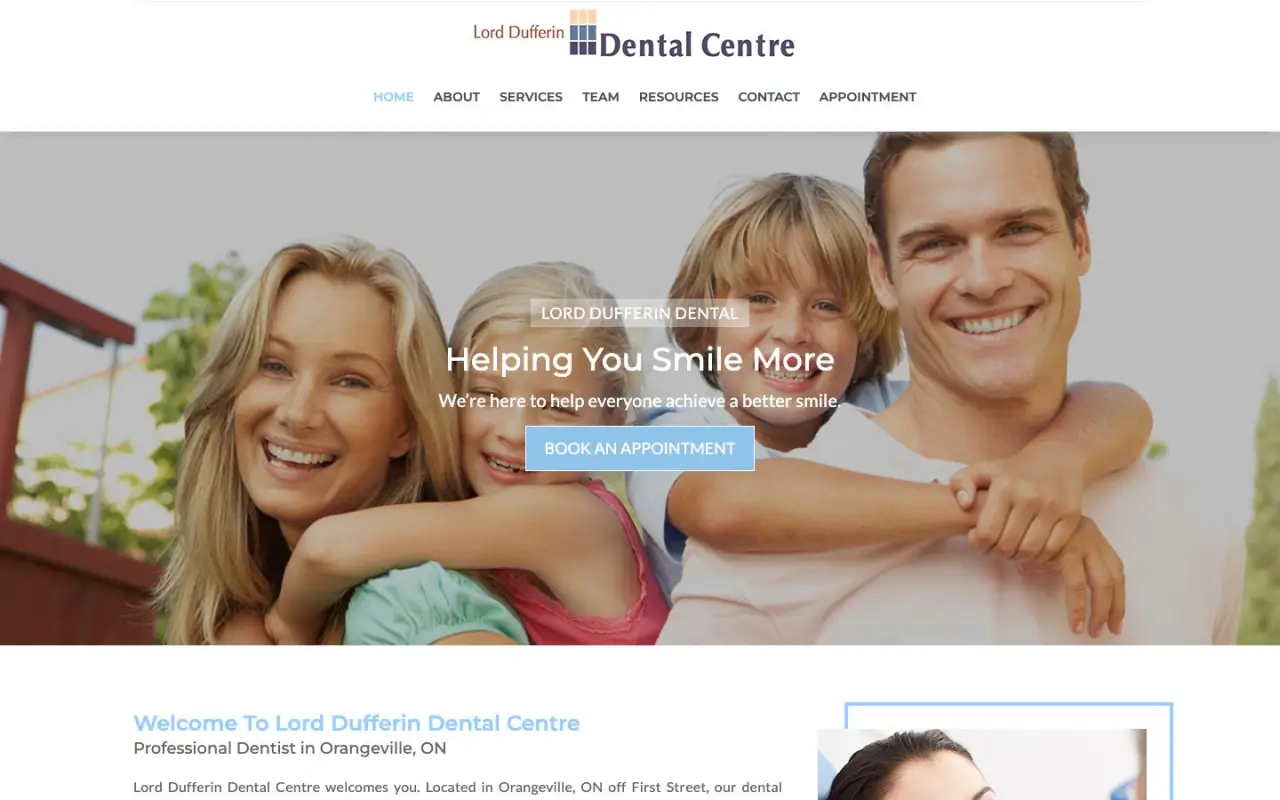
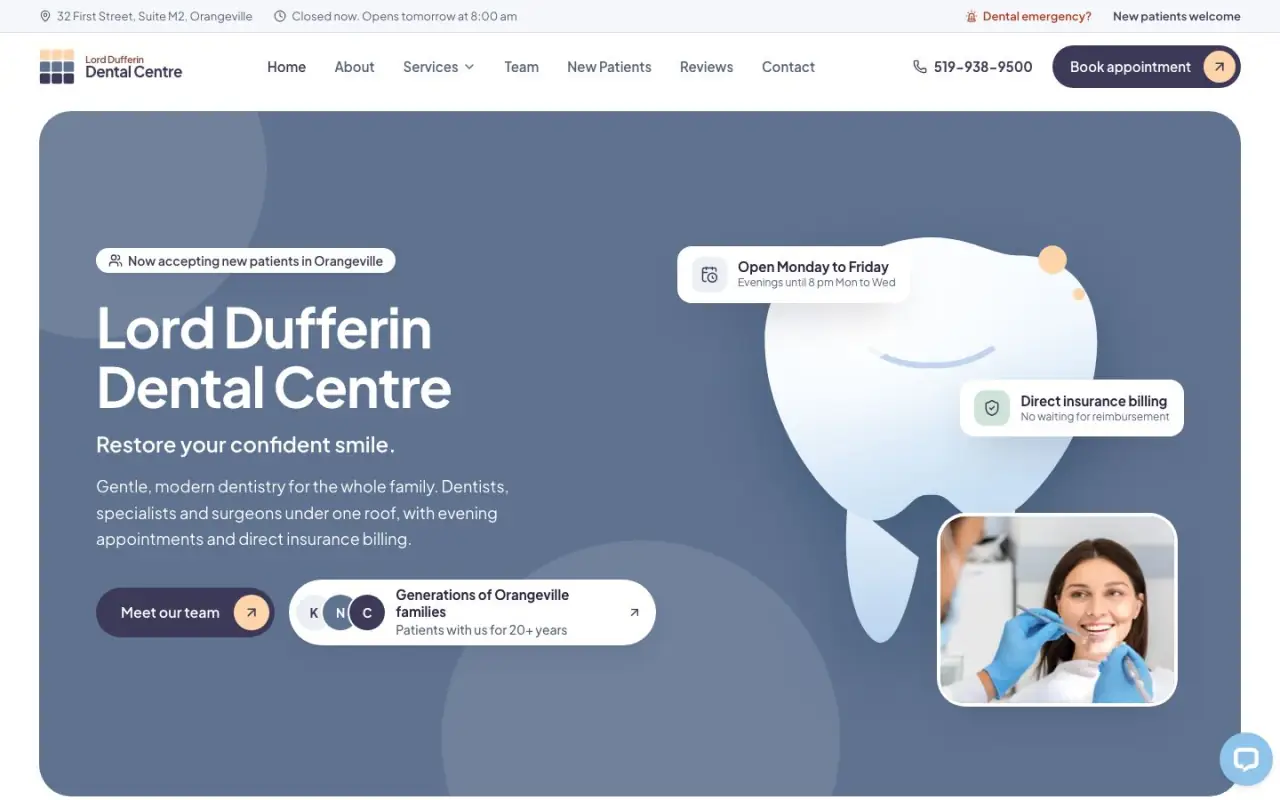 BeforeAfter
The clinic
Lord Dufferin Dental Centre is a family dental practice in Orangeville, Ontario. Its old website put a stock photo first and the practical details second.
What the old site lacked
- The first screen was a large stock photo of a smiling family with a short slogan. It said nothing about the clinic itself.
- The information a new patient looks for first, like whether the clinic accepts new patients, its hours and insurance billing, sat further down the page or on other pages.
What changed on the first screen
The new homepage answers the first questions before anyone scrolls. The header carries the phone number and a Book appointment button on every page. The first screen says the clinic is accepting new patients in Orangeville, that it's open Monday to Friday, and that it bills insurance directly. You can compare the two versions with the slider above.
What I built
- 17 service pages, one per treatment, so patients searching for a specific service land on the right page.
- An emergency page, a new-patient page, and an insurance and financing page.
- Team profiles, an FAQ and a blog the clinic can publish to.
- An appointment request form that sends straight to the clinic's inbox, with the phone number always one tap away.
What the staff can edit
The clinic's team edits the site in a content editor (Sanity): all copy and images, every SEO field, FAQs, blog posts, team profiles, redirects, and new landing pages built from a fixed set of blocks. The editor accepts no colours, font sizes or raw HTML, so an edit can't break the design. Layout and components stay with me.
Keeping Google rankings during the move
A new site shouldn't throw away what the old one earned in Google. Every old address that had a matching new page redirects to it, so links and search results that point to the old pages keep working. I covered the full process in my guide to what a dental website costs in Toronto and the dental website checklist.
Every page on the new site
- Home, with booking, hours and insurance billing on the first screen
- Services overview and 17 individual service pages
- Emergency dentistry, with the phone number first
- New patients, and insurance and financing
- Appointment request, with its own confirmation page
- About, the team, and a profile page for each team member
- FAQ, resources, and a blog with categories
- Contact, with the address, map link and hours
Timeline
Work started on September 14, 2026, and the site went live on the clinic's own domain on October 11, 2026.